
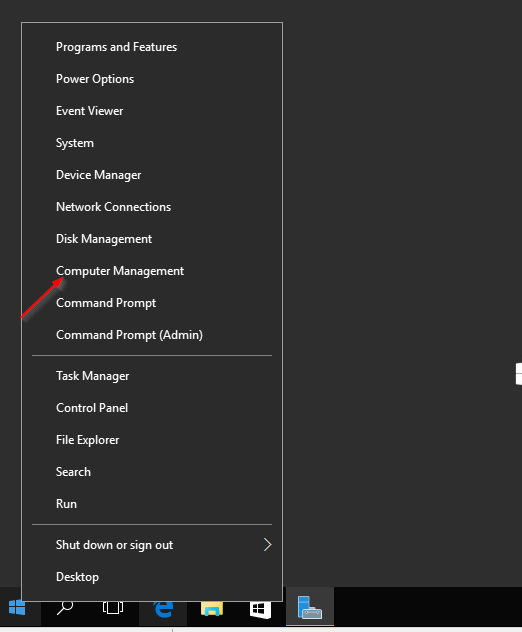
right-click the start menu and then click on Computer Management
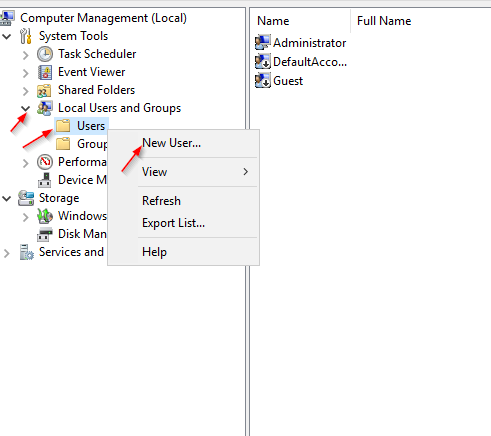
Then expand the Local Users & Groups tree and right-click on Users and choose New User:
Fill out the New User form that comes up. remember if you check Password never expires at the bottom the password will not expire, this can be a security issue.
Then click on Create.
If you want to add this account to the Administrators group, then click on on the Groups folder under local Users and Groups and double-click on the Administrators group:
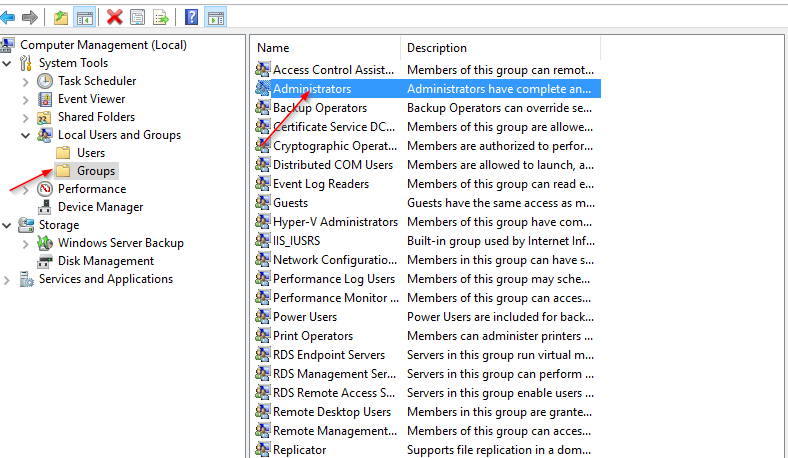
Then click on Add on the screen that popup, type the name of the account you just created, then hit Apply then OK
